
Player & vehicle ESP
Choose the information shown in your overlay.
- Player skeletons, boxes and head markers
- Player names and distances
- Vehicle labels
- Custom colors, line brightness and thickness

H1Z1 / KOTK
ROTK External: player and vehicle ESP, configurable targeting, smoothing and movement prediction. Customize your menu and save settings locally. External and Internal require separate licenses.
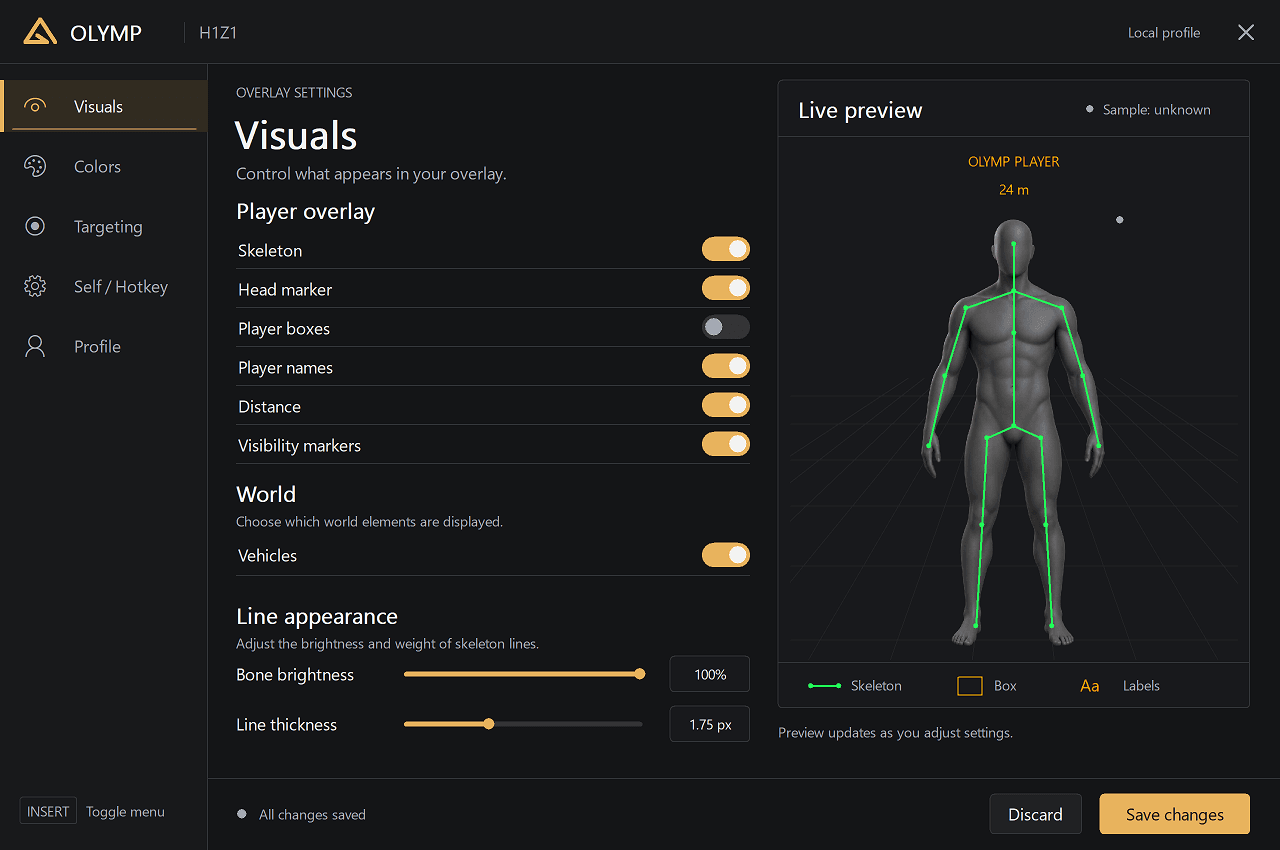
INSIDE OLYMP / H1Z1 (ROTK)
The actual interface. Explore the menu before you launch.
Access
Access begins only after a verified payment and server grant.
Instant accessAfter payment
Secure paymentCrypto checkout
Olymp launcherPlug & play
Your setup
Choose your access period and keep your ROTK package alongside your other titles in Olymp Launcher.
H1Z1 / ROTK · Olymp
Features
A complete set of tools to give you the advantage. Built for performance, security and an unmatched gaming experience.
Choose the information shown in your overlay.
Set your activation key and aiming preferences.
Fine-tune movement prediction.
Keep your configuration on this computer.
FAQ
Create an account, open the ROTK page, pick an access period and pay with crypto. Once the network confirms the payment, the product appears in Olymp Launcher on your account.
ROTK is sold per access period: 24 hours, 7 days and 30 days, and for some games a lifetime option. The current prices are shown on this page and at checkout.
Olymp accepts crypto only. At checkout you choose the coin, receive an address and the exact amount, and access starts automatically once the transfer is confirmed on the network.
Only Olymp Launcher, a single portable file with no installer. Sign in, choose ROTK and the launcher downloads and keeps the product up to date.
Access is bound to your account and one device by default. You can review and remove devices from your account page; additional device slots depend on your plan.
Support runs through the Olymp Discord. Compatibility requirements and known limitations for each release are listed on the Compatibility page before you buy.