
Player & vehicle ESP
Choose the information shown in your overlay.
- Player skeletons, boxes and head markers
- Player names and distances
- Vehicle labels
- Custom colors, line brightness and thickness

H1Z1 / KOTK
ROTK External:玩家与载具 ESP、可调瞄准、平滑和移动预测。支持自定义菜单与本地保存设置。External 与 Internal 需要分别购买许可证。
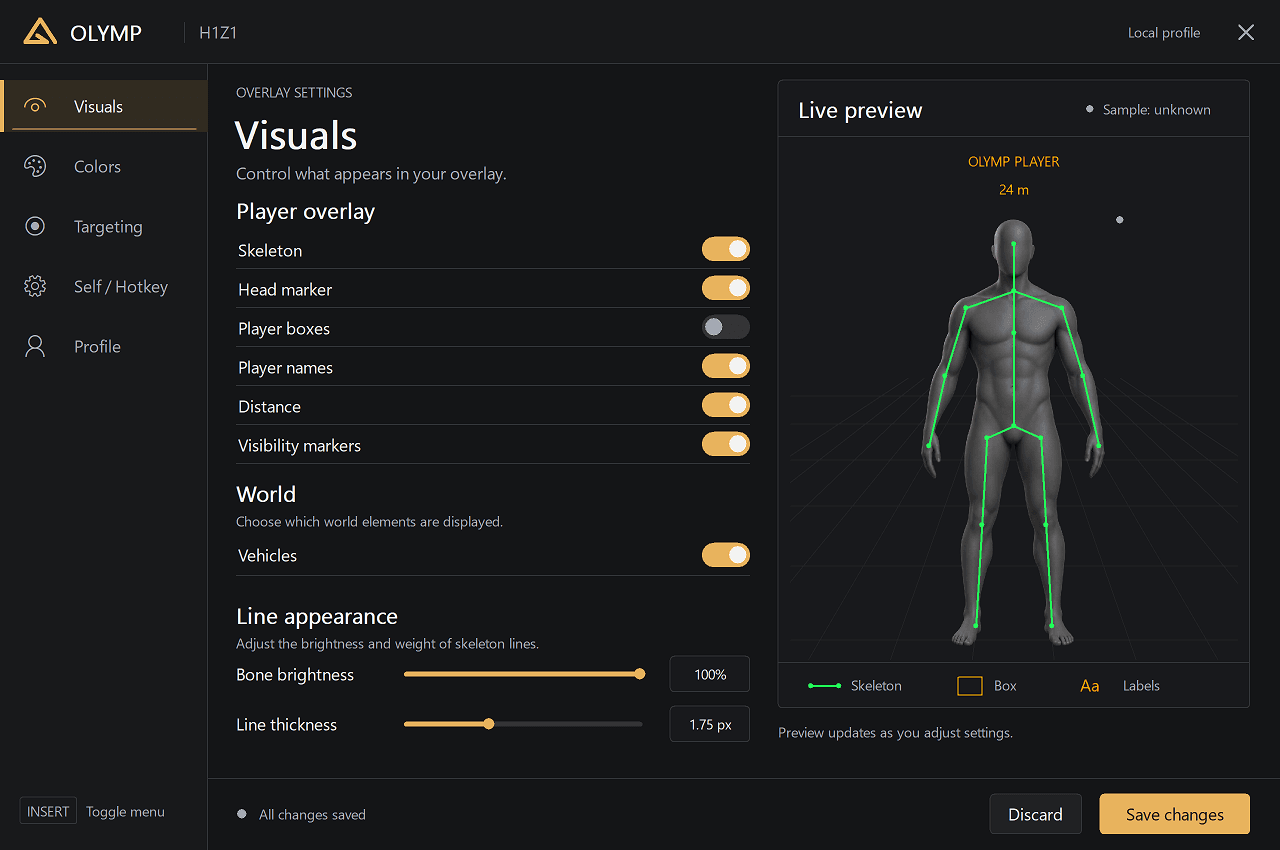
INSIDE OLYMP / H1Z1 (ROTK)
The actual interface. Explore the menu before you launch.
访问周期
仅在付款确认并获得服务器授权后开始计时。
Instant accessAfter payment
Secure paymentCrypto checkout
Olymp launcherPlug & play
Your setup
Choose your access period and keep your ROTK package alongside your other titles in Olymp Launcher.
H1Z1 / ROTK · Olymp
Features
A complete set of tools to give you the advantage. Built for performance, security and an unmatched gaming experience.
Choose the information shown in your overlay.
Set your activation key and aiming preferences.
Fine-tune movement prediction.
Keep your configuration on this computer.
FAQ
创建账户,打开 ROTK 页面,选择访问期限并使用加密货币付款。网络确认付款后,产品会出现在你账户的 Olymp Launcher 中。
ROTK 按访问期限出售:24 小时、7 天和 30 天,部分游戏提供永久选项。当前价格显示在本页和结账页面。
Olymp 仅接受加密货币。结账时选择币种,获取地址和准确金额,转账在网络上确认后即自动开通访问。
只需要 Olymp Launcher,一个无需安装的便携文件。登录后选择 ROTK,启动器会自动下载并保持产品更新。
访问权限绑定账户,默认绑定一台设备。你可以在账户页面查看和移除设备;额外设备名额取决于套餐。
支持通过 Olymp Discord 提供。每个版本的兼容性要求和已知限制在购买前列于“兼容性”页面。